Image Tools
Free Pixelate Image Generator Online
Create pixelated image effects with our free pixelate image generator online. Upload any image, adjust pixelation levels, and download your pixelated image instantly.
Related
Other Image Tools
Overview
How image pixelation works?
Image pixelation works by reducing the resolution of an image and then scaling it back up. This process groups pixels together into larger blocks, creating a retro, blocky effect. Here's how it works:
How to use
How to use the Pixelate Image Generator?
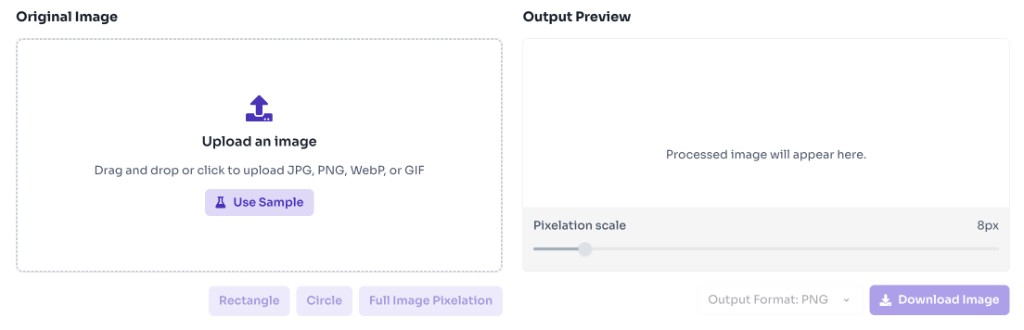
- 1
Upload Your Image
Click the "Upload Image" button in the original image section and select an image file from your device. Supported formats include JPG, PNG, WEBP, and GIF. You can also click Use Sample to try the tool instantly.
- 2
Adjust Pixelation
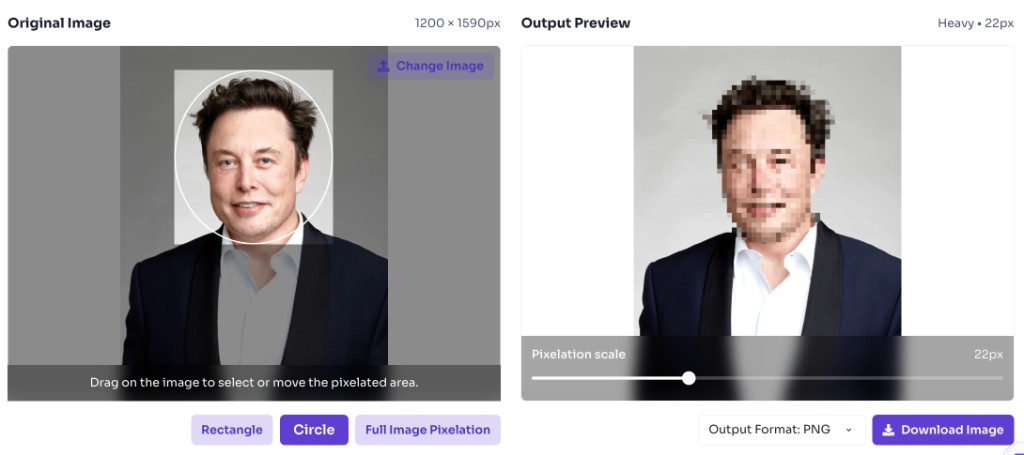
Use the pixel size slider in the pixelated image overlay or select from preset options. Adjust from 1px (no pixelation) to 64px (ultra pixelation). Drag on the original image to change which area is pixelated.
- 3
Preview in Real-Time
Watch your image transform in real-time as you adjust the pixel size. Compare the original and pixelated versions side by side.
- 4
Choose Format
Select your preferred download format (PNG, JPG, or WEBP) from the dropdown menu next to the download button.
- 5
Download Your Image
Click the "Download Image" button to save your pixelated image to your device. The image will be saved in your selected format.
Features
Top Features of Image Pixelator
6 Pixelation Presets
Choose from preset pixelation levels including None, Light, Medium, Heavy, Extreme, and Ultra. Each preset offers a different intensity of pixelation effect.
Real-Time Preview
See your pixelated image in real-time as you adjust settings. Compare original and pixelated versions side by side for perfect results.
Instant Processing
All processing happens instantly in your browser. No server uploads, no waiting - your images stay private and secure.
Easy Upload
Upload any image format and start pixelating immediately. Support for JPG, PNG, GIF, WEBP, and other common formats.
FAQ
Frequently asked questions
Quick answers about Free Online Pixelate Image Generator.
Image pixelation is a visual effect that reduces image resolution by grouping pixels into larger blocks. This creates a retro, blocky appearance where fine details are replaced with larger colored squares. It's commonly used for privacy protection, artistic effects, or creating retro-style graphics.
Explore
More tools you may like
Newsletter
Stay Updated
Subscribe to FrontendGeek Hub for frontend interview preparation, interview experiences, curated resources and roadmaps.