
Social Tools
Free Facebook Video Downloader
Free Facebook Videos Downloader Online — Download Facebook to MP4 Instantly. Paste a video link and download MP4 video in seconds. Instant download, No Watermark.
Related
Other Social Tools
Overview
What is a Facebook Video Downloader?
A Facebook Video Downloader lets you save public Facebook videos and Reels to your device. Paste a public Facebook video URL, preview it, and download the MP4 file when you are ready.
How to use
How to Use This Tool?
- 1
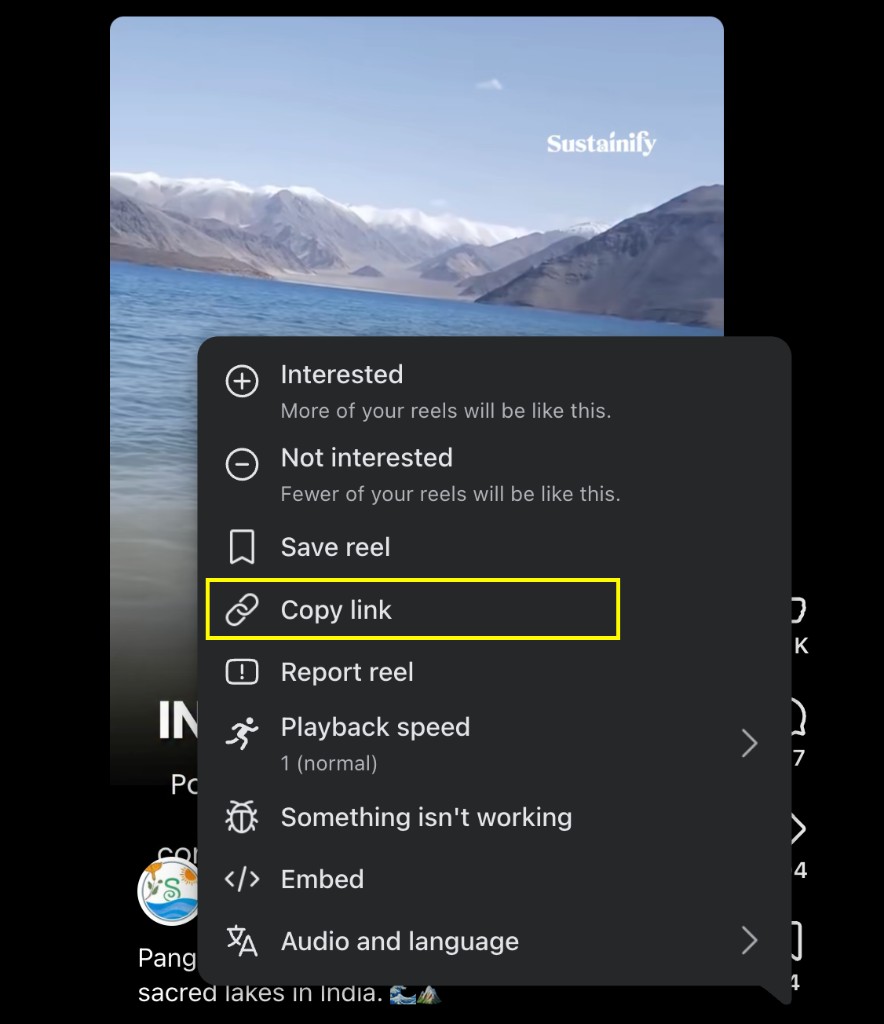
Copy the video URL
Open the Facebook video or Reel and copy its link via Share → Copy link.
- 2
Paste and fetch
Paste the URL here and click Fetch Video.
- 3
Preview the video
Check the preview and details before downloading.
- 4
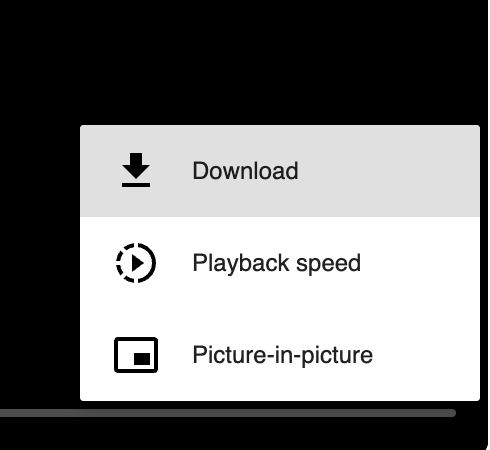
Download MP4
Use the download option in the result to save the file.
Why use it
Why use this Facebook video downloader?
- Paste a public Facebook link — no Facebook account needed
- Fast online processing with preview before download
- Works on desktop and mobile browsers
- Useful for saving content you own or have permission to download
Features
Top Features
Preview Before Download
See the video and details before saving.
Mobile Friendly
Works on phones, tablets, and desktop browsers.
Free Online Tool
No software installation or browser extension needed.
MP4 Downloads
Save Facebook videos and Reels as MP4 files when available.
FAQ
Frequently asked questions
Quick answers about Facebook Video Downloader.
No Facebook login is required. Paste a public Facebook link to preview and download.
Explore
More tools you may like
Newsletter
Stay Updated
Subscribe to FrontendGeek Hub for frontend interview preparation, interview experiences, curated resources and roadmaps.