
Social Tools
Free YouTube to MP3 Converter
Free YouTube to MP3 Converter Online Tool — Convert YouTube to MP3 and Download YouTube MP3 Audio in Seconds. Fast Download & No Watermark.
Related
Other Social Tools
Overview
What is a YouTube to MP3 Converter?
A YouTube to MP3 Converter is an online tool that lets you extract audio from YouTube videos and save it as a downloadable file. FrontendGeek's YouTube to MP3 converter works entirely in your browser: paste a link, load the audio stream, listen with the built-in player, and download after a free sign-in. There is no software to install and no watermark on your files. Whether you want to save a podcast clip, lecture, or music you have rights to use, this converter makes it easy to convert YouTube to MP3 in a few clicks.
How to use
How to Use This YouTube to MP3 Converter?
- 1
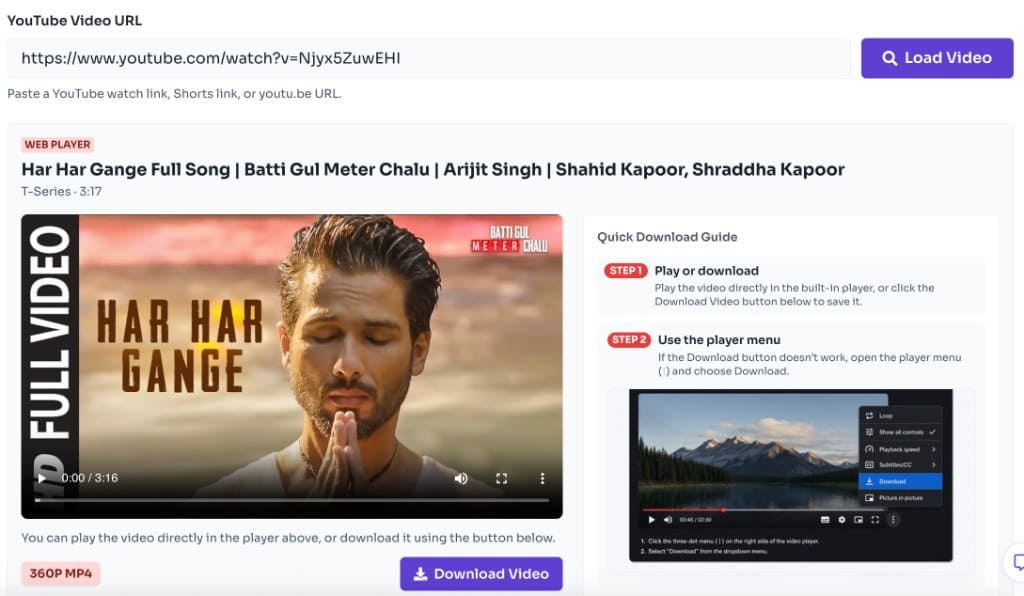
Paste the YouTube URL
Copy the video link from YouTube and paste it into the input box. Standard watch links, Shorts links, and youtu.be URLs are supported. If YouTube will not open while you try to grab the URL, check YouTube Down Detector — Is YouTube Down Right Now?.
- 2
Load the audio
Click Load Audio to fetch the title, channel, duration, and prepare the audio player. This step tells the YouTube to MP3 converter which stream to use.

- 3
Listen in your browser
Use the built-in audio player to preview the track before downloading. The converter automatically selects the best available audio quality for playback.
- 4
Download the audio
Click Download Audio, sign in for free if prompted, confirm the terms prompt, and save the file to your device.
Why use it
Why use this YouTube to MP3 converter online?
- Convert YouTube to MP3 without desktop apps or browser extensions
- Listen in the browser first, then download audio with one click
- Works on desktop and mobile with a simple paste-and-load workflow
- Free to use — sign in once to unlock downloads
- Useful for offline listening to content you own or have permission to save
Features
Top Features of Our YouTube to MP3 Converter
Free Sign-in Downloads
Preview audio for free, then sign in once to unlock MP3 downloads.
Built-in Audio Player
Preview before you save. Listen in your browser, then download audio with one click.
Fast Online Processing
Load audio details in seconds without installing desktop software or extensions.
Free to Use
Use the YouTube to MP3 converter for free with no watermark added to your downloads.
Supported devices for Youtube MP3 Download
Save YouTube audio on the devices you already use. The converter runs in modern browsers on smartphones, tablets, and desktops — no app store install required. After download, play the MP3 in your preferred music or podcast app.
- iPhone and iPad — Safari or Chrome; files land in Downloads / Files
- Android phones and tablets — Chrome or Firefox with standard download support
- Windows PCs — Edge, Chrome, Firefox, and other Chromium browsers
- Mac — Safari, Chrome, or Firefox on macOS
- Chromebooks and most tablets with a modern browser and file downloads
Supported MP3 Formats and Quality?
FrontendGeek's YouTube to MP3 converter pulls the best available audio stream and delivers a standard MP3-ready download for offline listening. Example file sizes below are approximate for a typical ~10-minute track — your actual download size scales with video length and the quality YouTube provides.
| Format | File Size | Quality |
|---|---|---|
| MP3 | 6.34 MB | Original |
| MP3 | 15.53 MB | 320 Kbps |
| MP3 | 12.42 MB | 256 Kbps |
| MP3 | 9.32 MB | 192 Kbps |
| MP3 | 6.21 MB | 128 Kbps |
| MP3 | 3.11 MB | 64 Kbps |
Choose FrontendGeek for YT to MP3 Downloader?
Many YouTube audio sites push ads, redirects, or desktop installers. FrontendGeek keeps the path short: paste a link, preview in the built-in player, sign in free, and download. There is no watermark on your audio, no extension to trust, and a clear focus on converting YouTube to MP3 for content you own or have permission to save.
- Browser-first workflow — no EXE, DMG, or browser add-on
- Listen before you save so you grab the right clip
- Free sign-in unlocks downloads without paywalls on the core flow
- Clean MP3-oriented output for offline playlists and study notes
- Same trusted FrontendGeek tooling family as our video and thumbnail tools
FAQ
Frequently asked questions
Quick answers about YouTube to MP3 Converter Free.
Yes. FrontendGeek's YouTube to MP3 converter is free. You can preview audio without an account; a free sign-in is required to download.
Explore
More tools you may like
Newsletter
Stay Updated
Subscribe to FrontendGeek Hub for frontend interview preparation, interview experiences, curated resources and roadmaps.